Code.Monu
Fun • Coding • Tech • Programming

My journey in the world of technology has been an exciting one, and I thrive on turning innovative ideas into functional, user-friendly applications. With a diverse skill set and a commitment to excellence, I specialize in building efficient and versatile projects using a variety of programming languages and technologies. Here's a bit more about what I bring to the table:
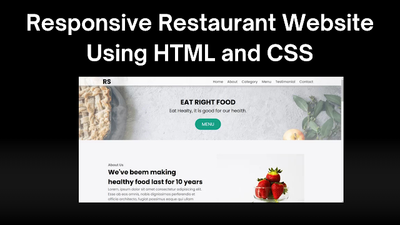
Responsive Restaurant Website
using HTML and CSS
using HTML and CSS
About Me Hello! I'm MD. SANJAR , a passionate web developer. Here you will find my projects and tutorials.
Introduction
Hello friends, welcome to our new beautiful project today. We have created a responsive restaurant website just for you. This project is simple, easy to understand, and works well on all devices.
What Does "Responsive" Mean?
A responsive website changes its layout to look good on any screen size. Whether you use a phone, tablet, or computer, the site will be easy to use and look great.
Benefits of an Online Restaurant Website
Create the HTML StructureHTML is the basic building block of your website. You will create sections for:
Introduction
Hello friends, welcome to our new beautiful project today. We have created a responsive restaurant website just for you. This project is simple, easy to understand, and works well on all devices.
What Does "Responsive" Mean?
A responsive website changes its layout to look good on any screen size. Whether you use a phone, tablet, or computer, the site will be easy to use and look great.
Benefits of an Online Restaurant Website
- More Customers: More people can find your restaurant online.
- Easy Ordering: Customers can order food directly from your website.
- Better Payments: Integrate simple and safe payment options.
- Increased Profit: A good website can help your business grow.
Create the HTML StructureHTML is the basic building block of your website. You will create sections for:
- Navigation Bar: Links to different parts of the website.
- Home Section: A welcome message and image.
- Menu Section: A list of food items.
- Reviews Section: Customer reviews with star icons.
- Contact Form: A form for customers to send a message.
- Footer: Information like copyright details.
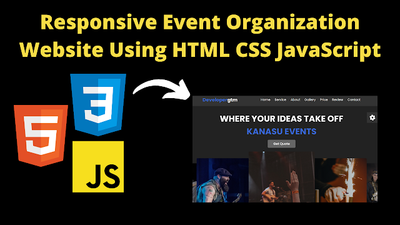
Responsive Event organization
website using HTML CSS Javascript
website using HTML CSS Javascript
Introduction
Hello friends, welcome to our new beautiful project today. Today we have created a beautiful project for you which is an Event Organization website. This website is completely responsive, due to which it works on all devices. We have created this website with the help of html, CSS and JavaScript. We have also used some animation in this website, which will make our website look even better. In this website, we have created a function with JavaScript, in which we have added some random colors, with the help of which we can change different colors of the text.
We have created a hero section at the top of the website, in which we have added text and heading and Below that we have added some images which slide and this animation makes our website look good. Then in our website we have created about section and service section and along with this we have also created a gallery section in which we have added some images which the user can share. We have kept the UI of the website dynamic which looks very good. So let's go now let's understand the code step by step.Index.htmlThe first step is of HTML in which we will create a structure of our website which is a very easy task. When we create the structure with HTML code, our website will not look good. To make a good design.
Hello friends, welcome to our new beautiful project today. Today we have created a beautiful project for you which is an Event Organization website. This website is completely responsive, due to which it works on all devices. We have created this website with the help of html, CSS and JavaScript. We have also used some animation in this website, which will make our website look even better. In this website, we have created a function with JavaScript, in which we have added some random colors, with the help of which we can change different colors of the text.
We have created a hero section at the top of the website, in which we have added text and heading and Below that we have added some images which slide and this animation makes our website look good. Then in our website we have created about section and service section and along with this we have also created a gallery section in which we have added some images which the user can share. We have kept the UI of the website dynamic which looks very good. So let's go now let's understand the code step by step.Index.htmlThe first step is of HTML in which we will create a structure of our website which is a very easy task. When we create the structure with HTML code, our website will not look good. To make a good design.
we will have to CSS which we will see later.
let's go now let's understand the code step by step.
Index.html
The first step is of HTML in which we will create a structure of our website which is a very easy task. When we create the structure with HTML code, our website will not look good. To make a good design, we will have to use CSS which we will see later. So let's see the HTML code now.
- <!DOCTYPE html> This is the most important tag of HTML, from which we come to know that this code is HTML code
- This is the title tag of html through which we can add the title of our project <title>Event Organisers | developergtm</title>
- Friends, we have used some sliders in our website, for which we have used this link tag <link rel="stylesheet" href=".....Link....."/>
- To link the css code file to html we have used this link tag <link rel="stylesheet" href="styles.css" />
- First of all we have created header section <header class="header"> in this we have added logo <a href="#" class="logo"><span>Developer</span>gtm</a>
- We have also added some menu items in Navbar for which we have created a separate section <nav class="navbar">
- Then to create the home section, we have created a section <section class="home" id="home"> and created a content box in it <div class="content"> In this, we have added text or heading
- To create the image slider, we have created a container <div class="sweeper-container home-slider"> and added the images to it
- For the service section we have created a container <section class="service" id="service"> in this we have also added a heading <h1 class="heading">our <span>services</span></h1>
- To create About Us we have created a section <section class="About" id="About"> and in it we have added the heading <h1>
- About that we have also added an image for which we have created an image box <div class="image"> In this we have added our image
- Then friends, the most important thing is our footer section which we have created in this way <section class="footer"> In this, we have created another container <div class="box-container">
- To link the javascript file to html we have used this link tag <script src="app.js"></script>
Friends, this is how we have created the structure of our website with the help of HTML.
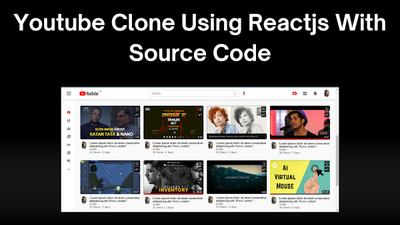
Youtube Clone using Reacts js with
source code
source code
Introduction
Hello friends, today we have created a beautiful project for you which is YouTube Clone Using Reactjs. In this YouTube clone you can search videos and watch videos like YouTube. We have added all the features to it. We have also used HTML to create it and along with it we have used tailwind and bootstrap. This clone will help you a lot in improving your coding skills. If you also want to learn coding then you have come to the right blog post. Friends, if you learn this project properly then you will get a lot of knowledge about coding and we have shared it in reactjs. I have made it so that our project loads fast, so let's go now let's know how to run it so that you can use it.
How to Add Project Api
Friends there is some process to run this clone project.
If you do not know that process, then you will be able to run it. For creating this project, we have also used Api because if you want to show live data, then you have to use Api. So before running this project, we will have to add Api in this project. Otherwise, when we run the project, nothing will be shown there. So, let us see step by step how the project is run and how Api is added.
Hello friends, today we have created a beautiful project for you which is YouTube Clone Using Reactjs. In this YouTube clone you can search videos and watch videos like YouTube. We have added all the features to it. We have also used HTML to create it and along with it we have used tailwind and bootstrap. This clone will help you a lot in improving your coding skills. If you also want to learn coding then you have come to the right blog post. Friends, if you learn this project properly then you will get a lot of knowledge about coding and we have shared it in reactjs. I have made it so that our project loads fast, so let's go now let's know how to run it so that you can use it.
How to Add Project Api
Friends there is some process to run this clone project.
If you do not know that process, then you will be able to run it. For creating this project, we have also used Api because if you want to show live data, then you have to use Api. So before running this project, we will have to add Api in this project. Otherwise, when we run the project, nothing will be shown there. So, let us see step by step how the project is run and how Api is added.
- First of all you have to add API for which first of all you have to open the cloned project file in vs Code
- After this you have to create a new file whose name will be .env
JOIN US
WEB DEVELOPMENT

CODE \\ HANDWRITTEN - NOTES
DISCORDS
any requirement
codemonu77@gmail.com
Contact
- Hazaribagh, Jharkhand, India
